

The single biggest tech surprise for first-time visitors to mainland China is that Google, Gmail, WhatsApp, Instagram, Facebook, YouTube and many Western news sites simply don’t load. This isn’t a Wi-Fi problem — it’s the national filtering system (often called the Great Firewall) that blocks those services at the network level. The good news: staying connected, maps, payments and translation all work fine if you set them up before you fly. This internet in China VPN guide explains what’s blocked, what isn’t, how to get reliable data, and the realistic options for reaching your usual apps. For the broader setup, see our guide to using the internet in China alongside this one.
What works, and what doesn’t
| Service type | Status in China | What to use instead |
|—|—|—|
| Google Search, Gmail, Maps | Blocked | Baidu / Amap for maps; Outlook for mail |
| YouTube, Instagram, Facebook | Blocked | Local video and social apps |
| WhatsApp, X/Twitter | Blocked | WeChat (universal in China) |
| WeChat, Alipay, DiDi, 12306 | Work normally | Your daily lifeline |
| Apple, Microsoft, Skype | Generally work | Use as-is |
The practical takeaway: you can navigate, pay, translate and book trains entirely with Chinese apps, which is exactly why our things to know before visiting China pushes you to install them before arrival.
Getting mobile data: the foundation
Connectivity starts with a data plan, not hotel Wi-Fi. Three options:
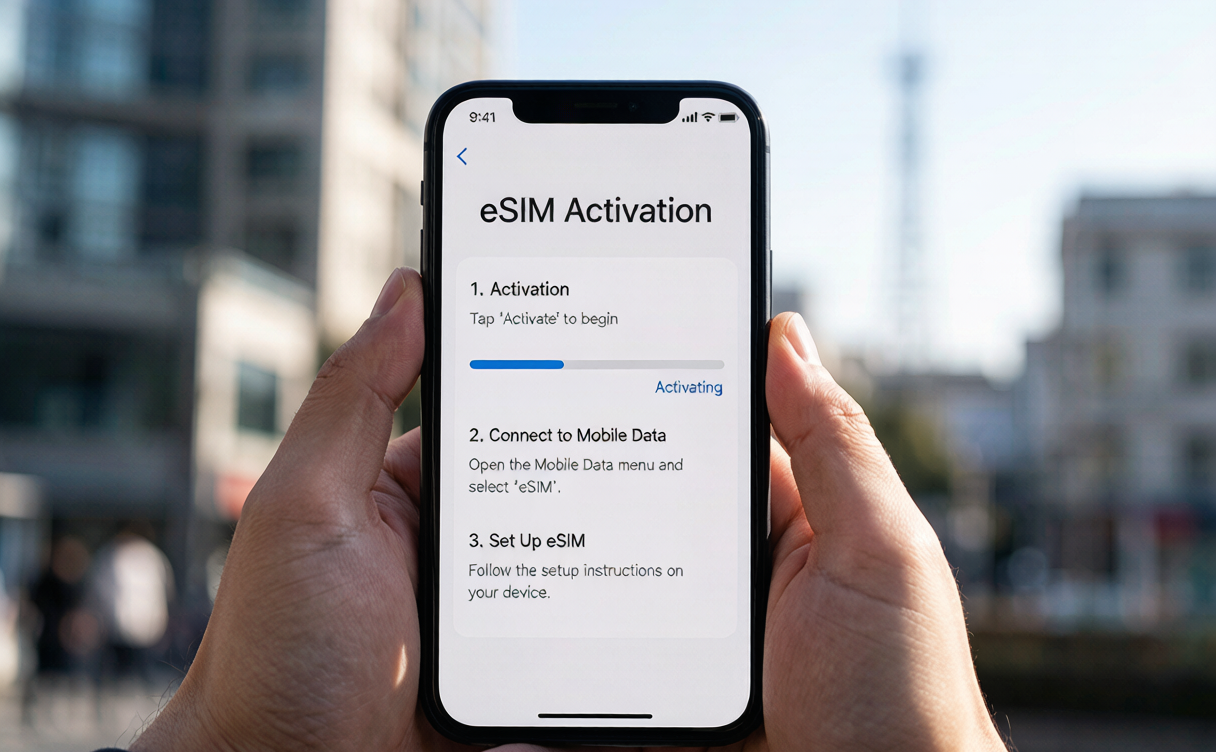
- Travel eSIM (Airalo, Nomad and others): buy before you fly, activate on landing, RMB 30–70 (US$4–10) for a week. Easiest for short trips.
- Local SIM at the airport China Mobile/China Unicom desk: RMB 50–100 (US$7–14) for a month of data with your own number. Bring your passport.
- Pocket Wi-Fi rental: RMB 20–40/day, handy if you’re sharing across devices but one more gadget to charge.
Hotel and cafe Wi-Fi exists but is often slow and requires a Chinese phone number to register — so a SIM or eSIM is the reliable base layer. Our China travel guide for first-timers lists the exact apps to load on that connection.
VPNs: the honest picture
A VPN (Virtual Private Network) routes your traffic through a server outside China to reach blocked sites. In practice, most consumer VPNs that work elsewhere — NordVPN, ExpressVPN, Surfshark — are themselves blocked or throttled inside mainland China and often fail to connect at all. A smaller number of paid, China-optimized services (often marketed specifically for the region) do work intermittently, but reliability varies by city and week, and connections can drop at peak times.
Two things to keep straight: first, the block is technical, not something hotel Wi-Fi bypasses; second, the legal status of unauthorized VPNs in China is a grey area — individuals using them for personal access generally aren’t targeted, but you should research current rules and accept the risk yourself rather than rely on this guide for legal advice. The authoritative background on how the filtering system functions is the Great Firewall overview, which explains the mechanism without endorsing any tool.
Alternatives that just work
Before reaching for a VPN, consider these reliable substitutes:
- Maps: Amap (高德) or Baidu Maps — better China coverage than Google Maps anyway.
- Translation: Tencent Translate, Baidu Translate, or Google’s translate app downloaded for offline use before you fly (the app’s offline mode still works).
- Messaging: WeChat is universal in China; set it up and tell family to install it so you stay in touch without WhatsApp.
- Email: Microsoft Outlook and Apple Mail generally receive foreign mail fine; access Gmail via a working VPN only if you must.
Apps to install before you fly
Do this on home Wi-Fi, before you lose access to Google Play or the App Store inside China:
- WeChat — messaging, payments, everything; set up your account and link a card.
- Alipay (or the Tour Pass mini-program) — the other half of daily payments.
- DiDi — ride-hailing; register with your passport number up front.
- Amap (Gaode) — maps and offline areas; download the regions you’ll visit.
- A translation app — Tencent or Baidu Translate, plus a Google Translate offline pack.
- 12306 — train booking; verify your passport details so tickets issue smoothly.
- A backup note app — Google Drive may not sync behind the filter, so copy key bookings to your laptop or a China-accessible service.
With these seven on your phone, the block on foreign sites barely touches your day-to-day trip, and you’ll spend less time fighting tech and more time exploring.
Staying safe on public networks
Chinese public Wi-Fi is convenient but shared, so treat it like any cafe network: no banking on open hotspots, use mobile data for anything sensitive, and keep your phone’s auto-lock on. Our China travel safety tips cover device security and what to do if a phone is lost — lock it remotely and report the local SIM stolen so the number can be killed.
Signal in remote areas
Cities and towns have excellent 4G/5G. Mountains, far-west deserts and some scenic valleys lose signal — tell your hotel your plan before heading out, exactly as you would anywhere remote. Download offline maps (Amap allows it) and your translation packs in advance.

Practical Tips
- Install WeChat and Alipay and link a card before departure — they’re your lifeline for pay, map and message.
- Buy the eSIM or SIM before you need it; airport kiosks can have queues.
- Download Google Maps offline areas and a translation app’s offline pack while still on foreign Wi-Fi.
- Don’t depend on a single VPN; have WeChat as the fallback for all communication.
- Carry a power bank; live translation and maps drain batteries fast on long days.
- The best time to visit China shoulder months also dodge the network congestion of peak holiday travel.
FAQ
Will my phone work in China?
Yes, if it’s unlocked. Add a local SIM or travel eSIM on arrival and you’ll have full data.
Can I use WhatsApp or Gmail?
Not without a working VPN; both are blocked. WeChat and Outlook are reliable substitutes for staying in touch.
Do hotel Wi-Fi bypass the block?
No — the filtering is network-level, so hotel Wi-Fi shows the same blocks as mobile data.
Are VPNs illegal in China?
Unauthorized VPNs sit in a legal grey area; this guide isn’t legal advice. Research current rules and decide for yourself.
Which maps should I use instead of Google Maps?
Amap (Gaode) or Baidu Maps — they have better China detail and work without any workaround.
Is public Wi-Fi safe?
Convenient but shared; avoid banking on open hotspots and use mobile data for anything sensitive.
Going off-grid, on purpose
Once your connectivity base is set, the quiet interior becomes easy to roam, because you’ll have offline maps and a working number. Our off-the-beaten-path China guide lists regions where the internet in China VPN question matters less because the draw is exactly the disconnection — and the things to do in China there don’t need a signal to enjoy once you’ve sorted how to get to China.
Written by Karl Huang, updated August 2026.